
Complete Control Over Your Network & Data
FlowBytes provides lightweight, continuous network diagnostics without draining battery. Monitor real-time transfer rates, identify background data hogs, and prevent unexpected carrier overage charges.
Live Status Bar Speed Meter
Displays instantaneous download and upload speeds directly in the Android status bar and notification shade using dynamic canvas icons with customizable font scaling and update intervals.
Per-App Data Analytics
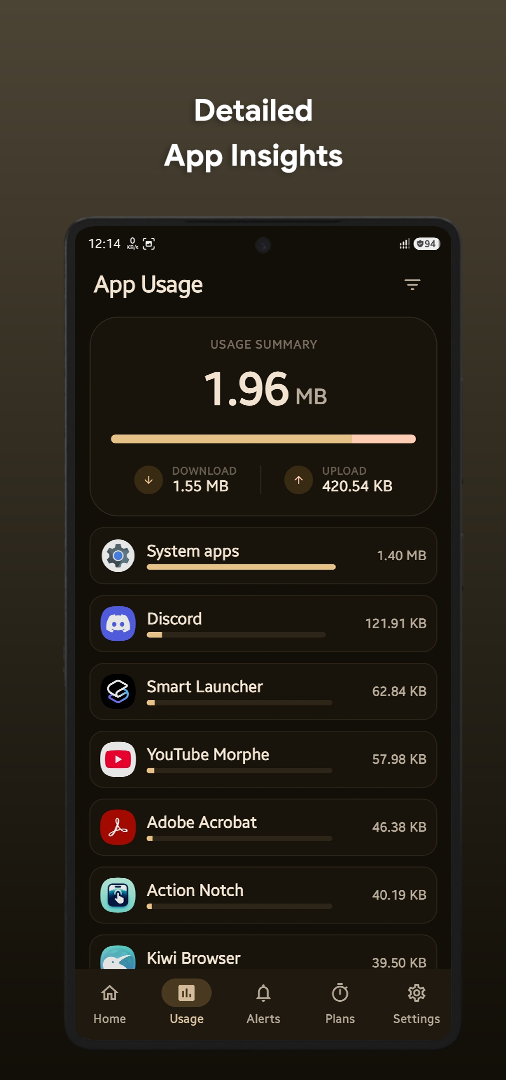
Track exactly how much data each installed application consumes over Wi-Fi, Mobile Data, or Roaming. View historical consumption breakdowns and sort by today, this week, or billing cycle.
Quick Settings Tile
Toggle real-time network tracking on and off instantly from your Android Quick Settings panel without opening the app.
High-Traffic Leak Detection
Detect sustained high-traffic spikes and background data leaks with customizable speed and duration thresholds to keep sneaky background apps in check.
Per-App Firewall (App Blocking)
Enforce network boundaries using Android's VpnService. Automatically restrict internet access for apps that exceed your configured data limit or run background telemetry.
Usage Insights & Forecasts
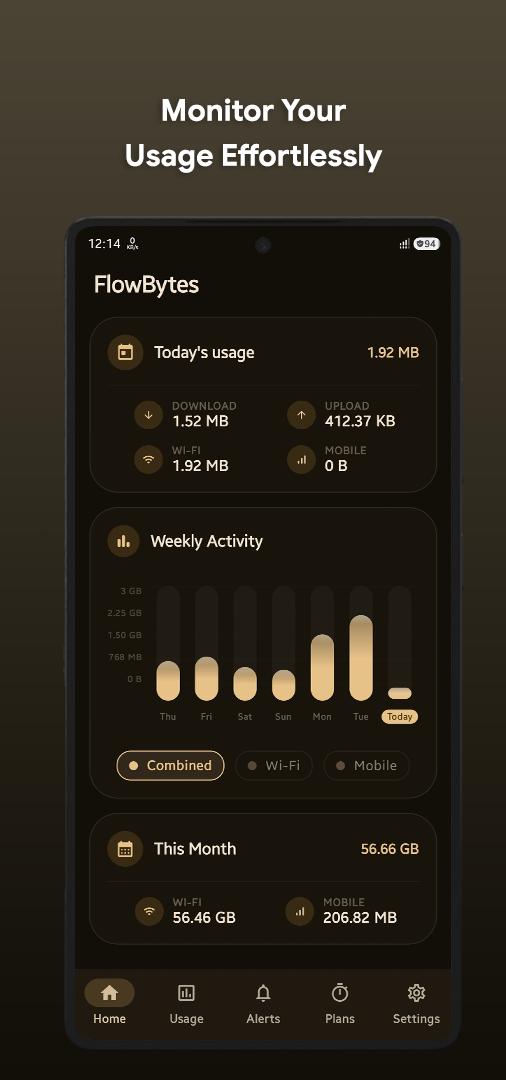
High-precision weekly and monthly charts featuring soft-scaling and predictive forecasts to estimate if you will exceed your quota before the billing cycle renews.
Screenshots
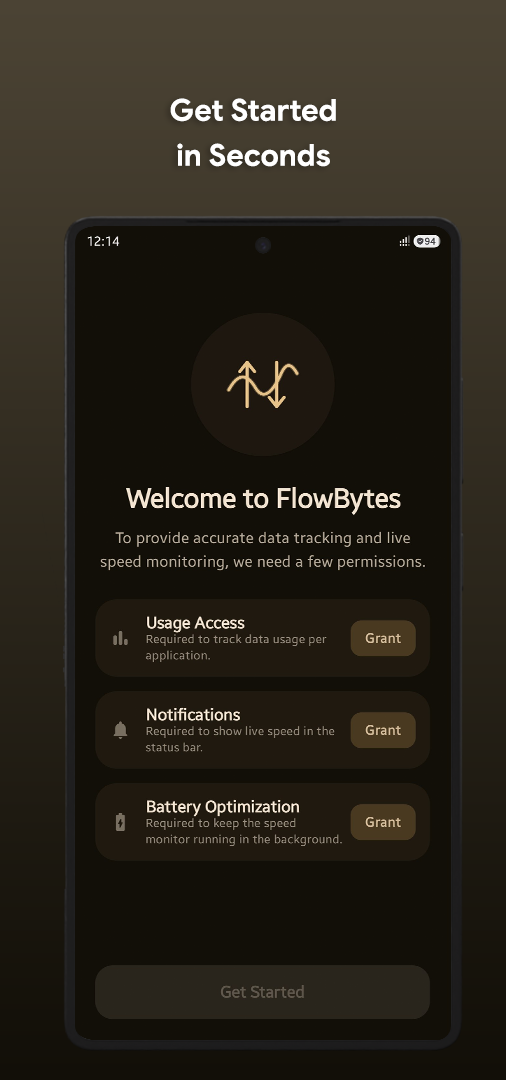
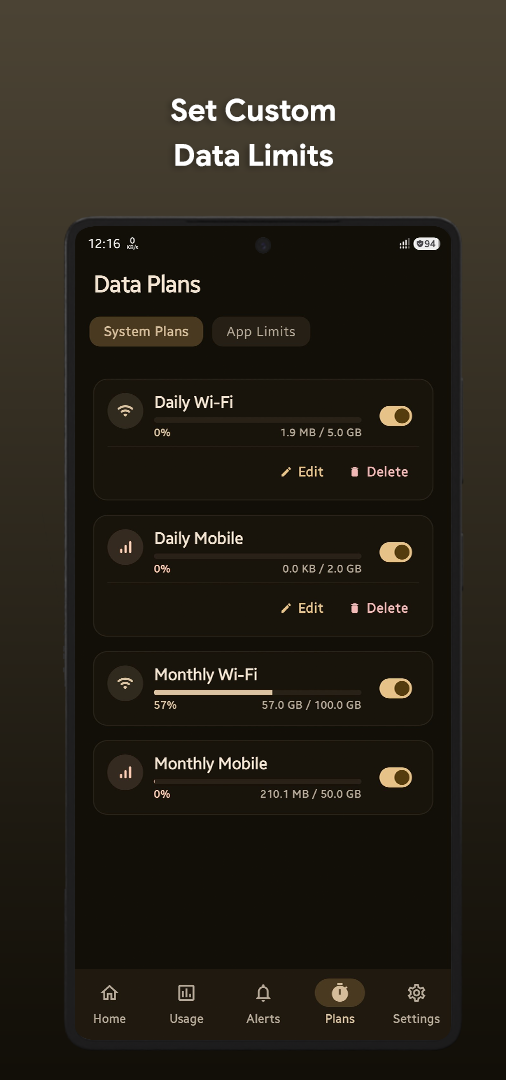
Explore FlowBytes — real-time status bar meters, usage analytics, widgets, and firewall settings.
Comprehensive Data Plan Management
Tailor your data tracking to match your mobile carrier's exact billing structure.
Daily Data Plans
Set daily bandwidth limits (e.g. 1.5 GB/day) with automatic reset at midnight and warning notifications when you reach 80% and 100% of your daily allowance.
Monthly & Custom Cycle Plans
Configure custom billing renewal dates (e.g. starting on the 15th of each month) or arbitrary multi-day prepaid tourist SIM plans (e.g. 28-day plans).
Granular App Limits
Set specific data consumption ceilings for data-heavy apps like TikTok, YouTube, or Netflix to prevent accidental mobile data exhaustion.
Filterable Alerts History
Review comprehensive chronological logs of all quota breaches, high-traffic alerts, and firewall blocking events with detailed per-app timestamps.
7 Customizable Home Screen Widgets
Keep your critical network metrics and bandwidth limits front and center with minimal battery overhead.
Speed Monitor & Live Graphs
Displays real-time download and upload speeds with dual live sparkline curve graphs right on your home screen.
Daily Usage Card
Compact 4x1 / 4x2 card summarizing today's total consumed bandwidth across Wi-Fi and Mobile data.
Today's Circular Gauge
Visual circular ring gauge displaying today's total data consumption progress with bold metric readout.
Monthly Usage Card
Displays total cumulative data consumed in your current monthly billing period.
Daily Network Limit Progress
Side-by-side dual progress bars tracking Wi-Fi and Mobile data usage against your daily configured plan limit.
Monthly Network Limit Progress
Dual progress bars tracking Wi-Fi and Cellular consumption against your monthly carrier quota.
Custom Cycle Limit Tracker
Tracks multi-day prepaid tourist SIMs or custom billing cycle intervals with dedicated Wi-Fi and Mobile progress bars.
On-Device Loopback VPN Firewall
Complete clarity on how FlowBytes enforces network restrictions without remote VPN proxies.
100% On-Device Loopback: FlowBytes establishes a local network loopback interface on your phone. It does NOT route your internet traffic to external VPN servers or third parties. All packet inspection and blocking happen strictly on your hardware.
How App Blocking Works
VpnService Local InterceptionWhen you set a data limit on an application or manually block it, FlowBytes assigns a local loopback rule for that application's Linux UID. When the app attempts to transmit data, packets are dropped locally on the device, ensuring the app cannot burn background data.
Android Permissions & Privacy Guarantees
FlowBytes requires no user accounts and contains zero analytics SDKs.
Usage Stats Access
android.permission.PACKAGE_USAGE_STATSWhy it is needed: Allows FlowBytes to query the Android system's NetworkStatsManager to calculate accurate per-app data usage over Wi-Fi and Mobile interfaces.
Query Installed Packages
android.permission.QUERY_ALL_PACKAGESWhy it is needed: Required to display the list of installed applications with their app names and icons for per-app limit configuration and firewall rules.
Foreground Service & Notifications
FOREGROUND_SERVICE / POST_NOTIFICATIONSWhy it is needed: Required to maintain uninterrupted, accurate real-time speed monitoring in the status bar and dispatch timely data limit breach alerts.
Technical Specifications
Engineered for lightweight CPU execution, minimal RAM footprint (<25 MB), and zero battery drain.
Loved by Android Power Users
Read what verified users on Google Play say about FlowBytes' speed indicator, battery optimization, and privacy firewall.
Frequently Asked Questions
Common questions regarding speed monitoring and battery optimizations.
Aggressive OEM battery savers (on Samsung, Xiaomi, OnePlus, Huawei) kill background foreground services. Ensure you set FlowBytes' battery optimization to Unrestricted and allow Autostart in your phone settings.
No. FlowBytes reads cumulative hardware byte counters from the Linux kernel without creating network sockets. CPU usage averages less than 0.2%.
Android only allows one active VPN slot at a time. The Speed Meter and Data Usage tracking work 100% normally without VPN. The optional Firewall (App Blocking) feature requires the VPN slot only if you enable it.